Author: Soojin Lee Date: 5, Oct, 2021
| Practice Counting Words
For this week, I watched many video tutorials like
"Word Counter in JavaScript" ,
"TF-IDF" ,
"Associative Arrays in JavaScript" , and followed along the tutorials with some creative adaptation. For the first exercise, following "Word Counter in JavaScript" tutorial, I counted the words for the lyrics of one of my favorite song "Mean it" by Lauv . Working on this exercise, I have learnt the core algorithms of word counting.
View the project
Here
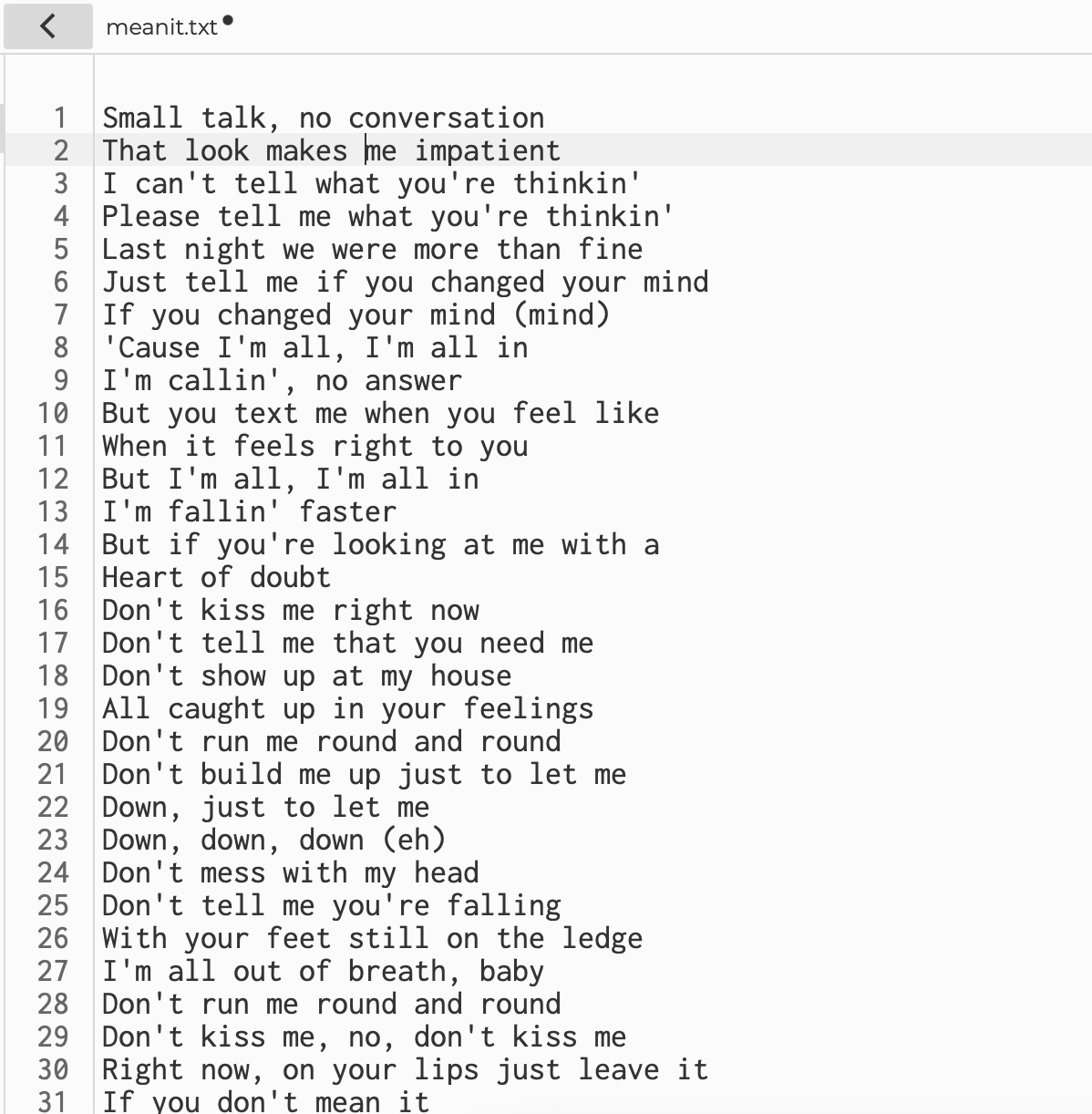
Mean It Lyrics
txt.join & allwords.split
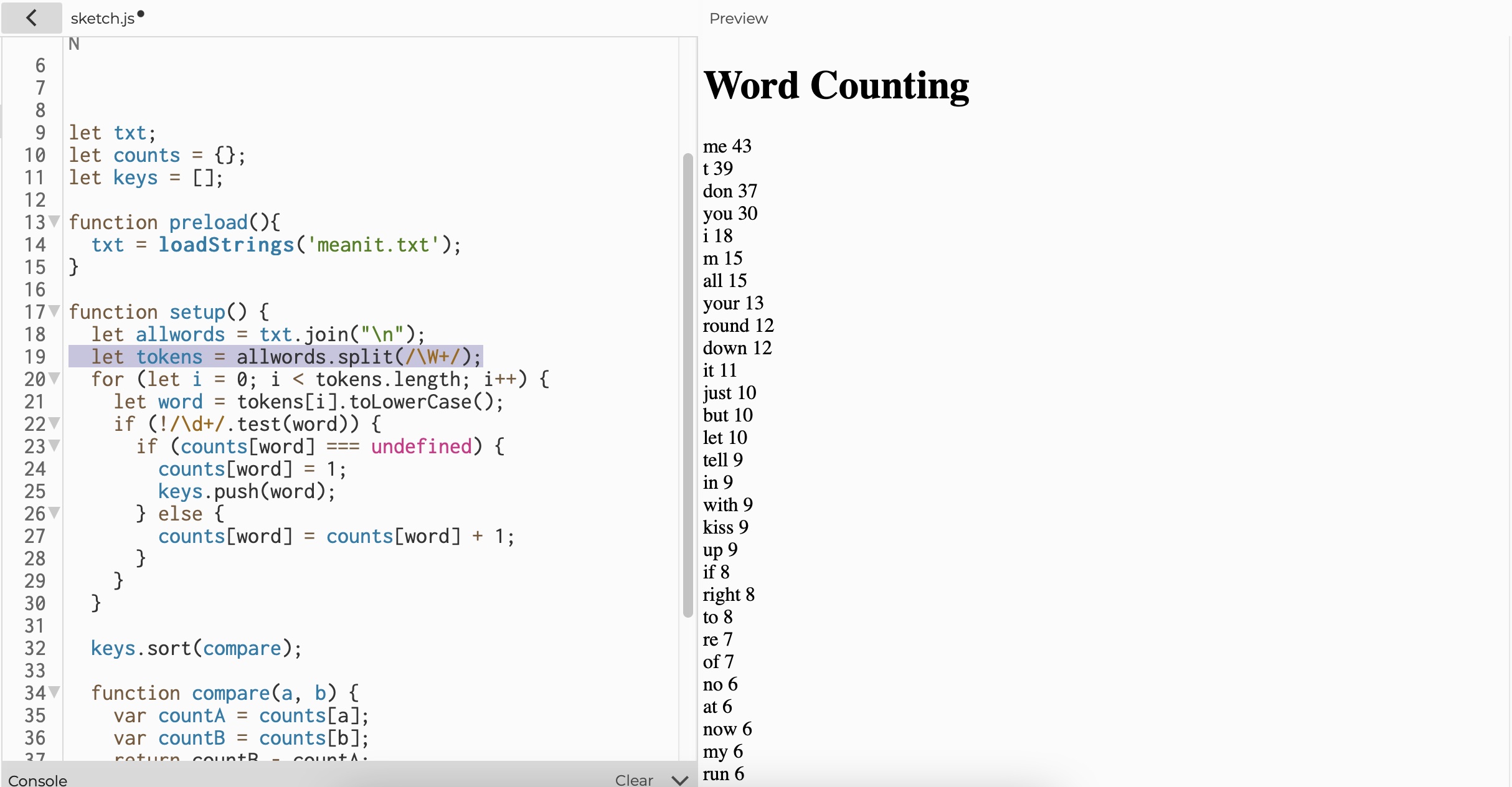
I began with loading the txt file. I have learnt that when txt files are loaded using "loadStrings" function, everything is loaded as an array, where each element of the array is one line from the text file.
Therefore, I created a variable that joins all the array together into one long string, which then I splited them into words.
- txt.join("\n"); Join all the array of text line
- allwords.split (/\W+/); make a split when for everything that is not a word character
Apostrophe Issue
One issue for using allwords.split (/\W+/); was that it splits apostrophe to two words. For example, it counted don't as two words: (don) and (t). Hence, "t" placed as the second highest word count.
To fix this, instead of making it to split for every non word character, I made it to split for every allwords.split(" " || ","); space or a comma.
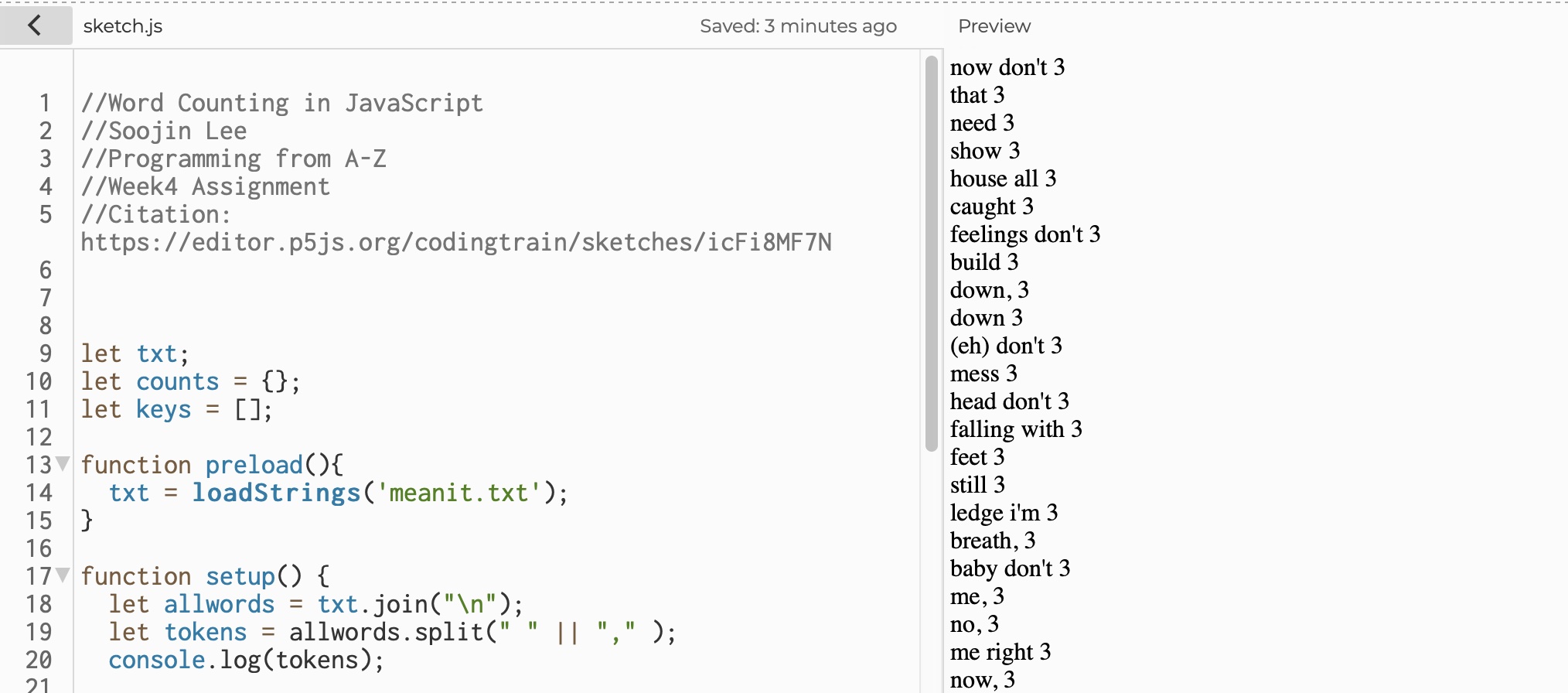
This fixed the issue of apostrophe split issue, where it is no longer splitting the word with apostrophe, but for some reason, words like "round don't" or "me down" were recognized as one word. The pattern for these words that are not splitting were words that are joined from one line to another. Therefore, I explored the join new line function to fix this issue.
Join New Line / Join Space
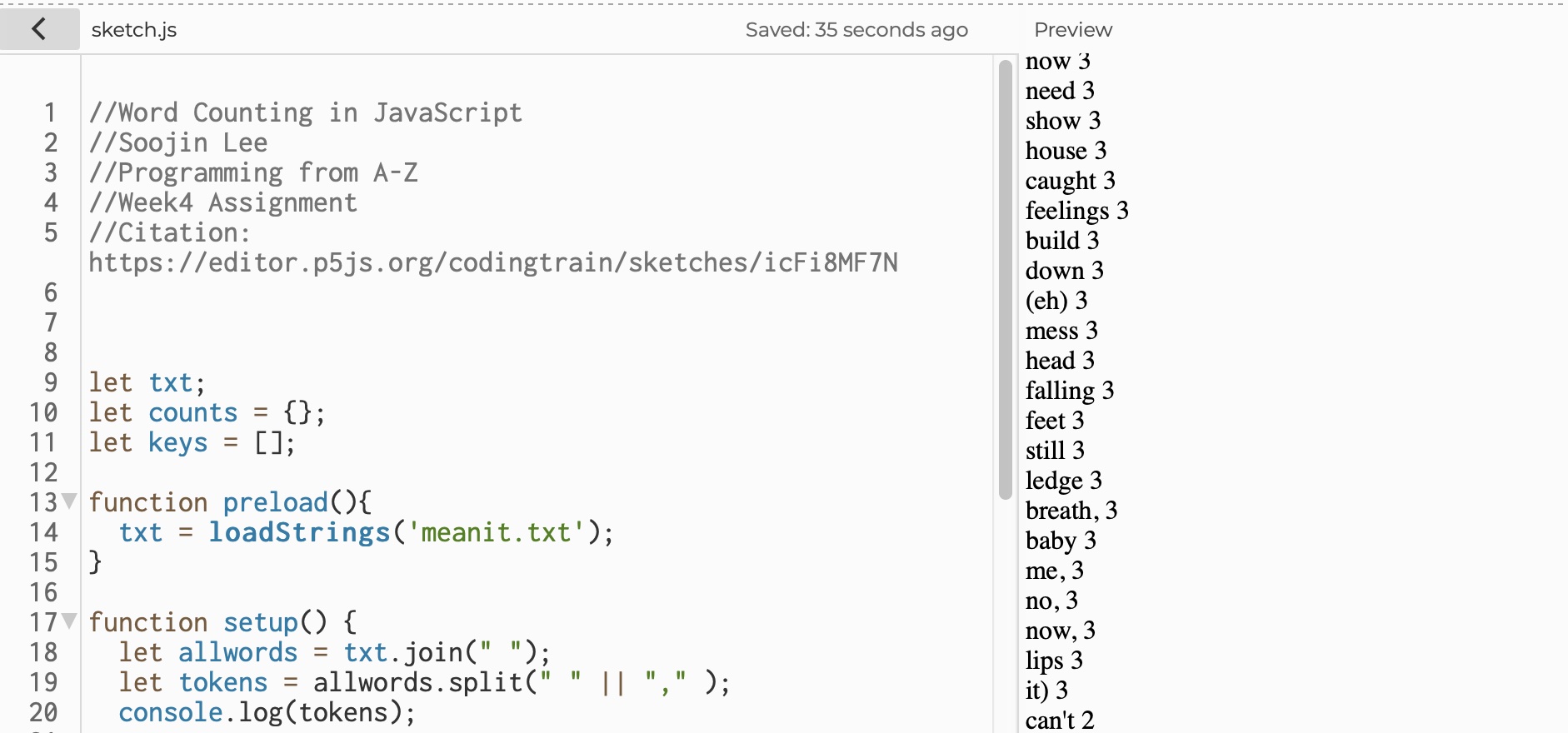
Instead of joining every new line using text.join("\n") function, I joined the array of lines, by joining space, using text.join(" ").
Deleting Punctuation
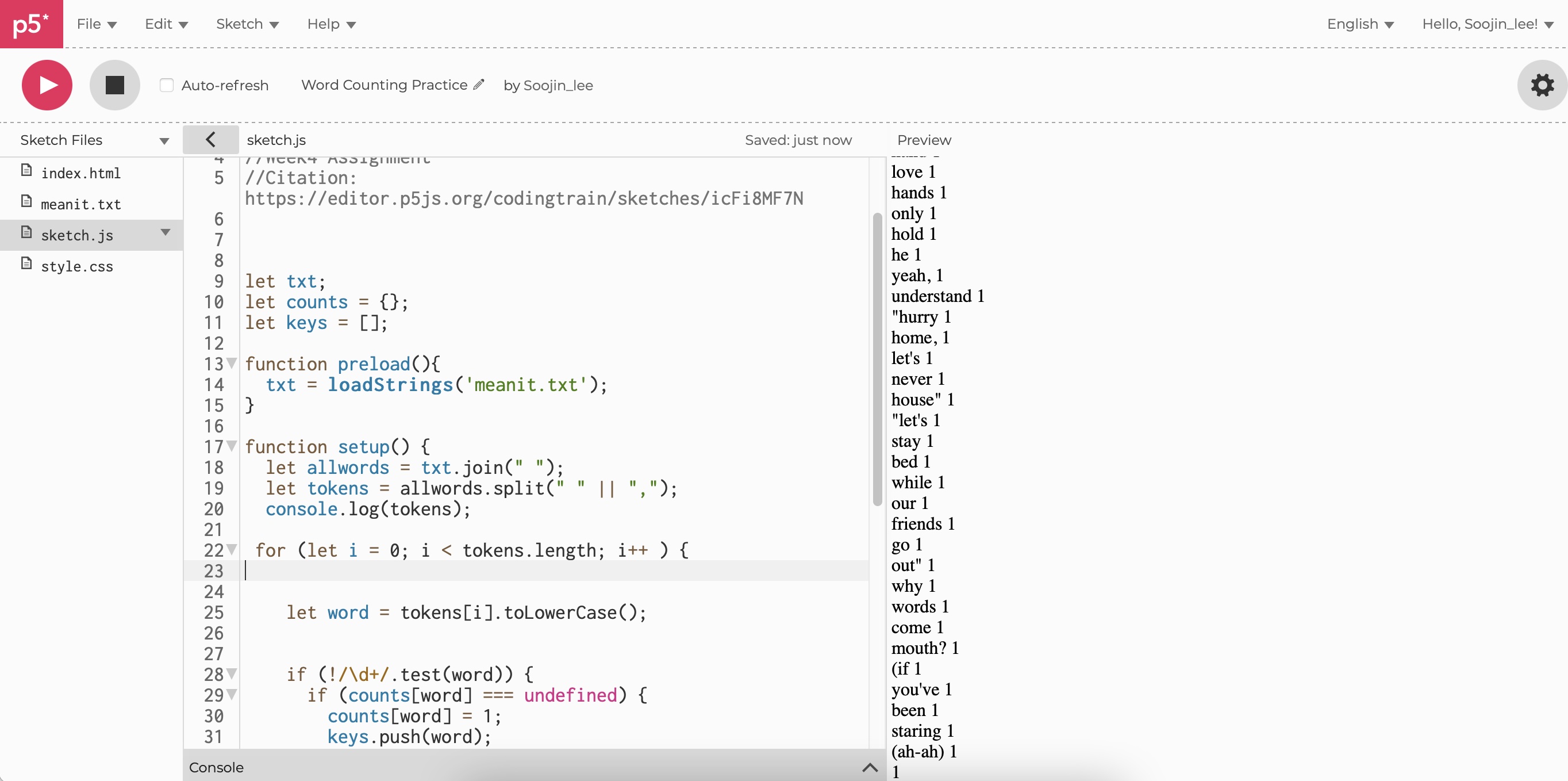
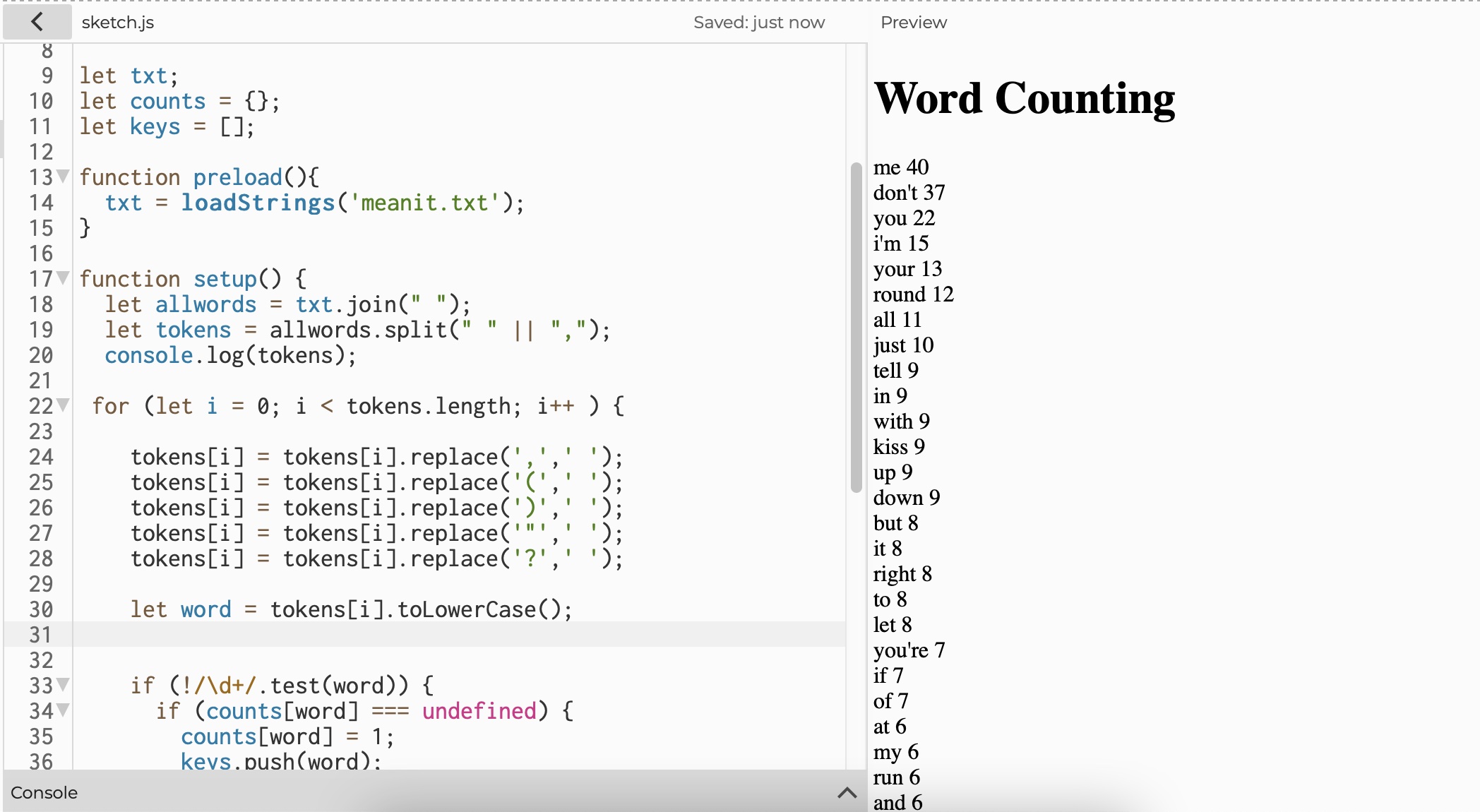
Since I let it to split at comma and a space, the list of words included rest of the punctuations like quoatation mark, or a bracket. Therefore, I wrote another function that deletes punctuation (as shown below).
For example,
I used tokens[i] = tokens[i].replace('(',' '); replace function to get rid of bracket in the word.
Elaborating on Split Function
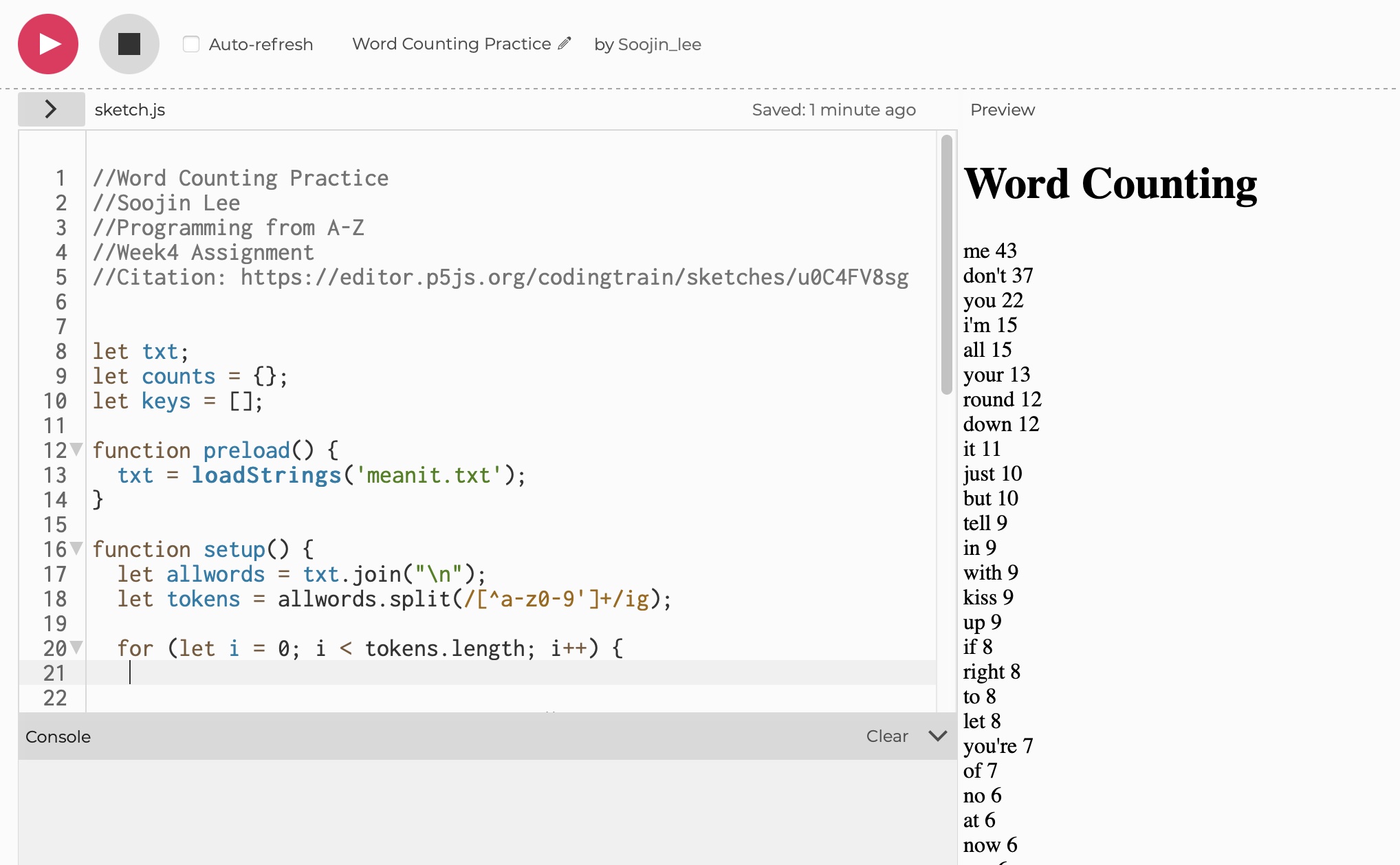
Following Professor Daniel Shiffman's suggestion, I fixed the apostrophe issue by replacing allwords.split (/\W+/);
to
allwords.split(/[^a-z0-9']+/ig);
This function allows tokens to split at anything that is not (a-z, 0-9, or apostrophe). It is also case insensitive.
Using this code, I was able to make the code a lot more efficient. I could get rid of all the tokens replace functions.
Other Learnings and Findings
Here are some of the other things that I have learnt working on this small exercise:
- !/\d+/.test(word) To test if it is not simply a string of digit(s).
- toLowerCase(); To convert all the tokens to lowercase.
- counts[words]; count() function is used to count the number of collections in the element; in this case, it is counting how many (word) is in the array.
- let keys = [];
keys.push(word); store all the words found to the array
- for (let i = 0; i < keys.length; i++) {
let key = keys[i];
createDiv(key + " " + counts[key]); display words and the word counts
- keys.sort(); sort words in alphabetical order
- keys.sort(compare);
function compare(a, b) {
var countA = counts[a];
var countB = counts[b];
return countB - countA;
} sort words in the order of highest counts to the lowest counts.
| Practicing TF-IDF
Next, I followed the
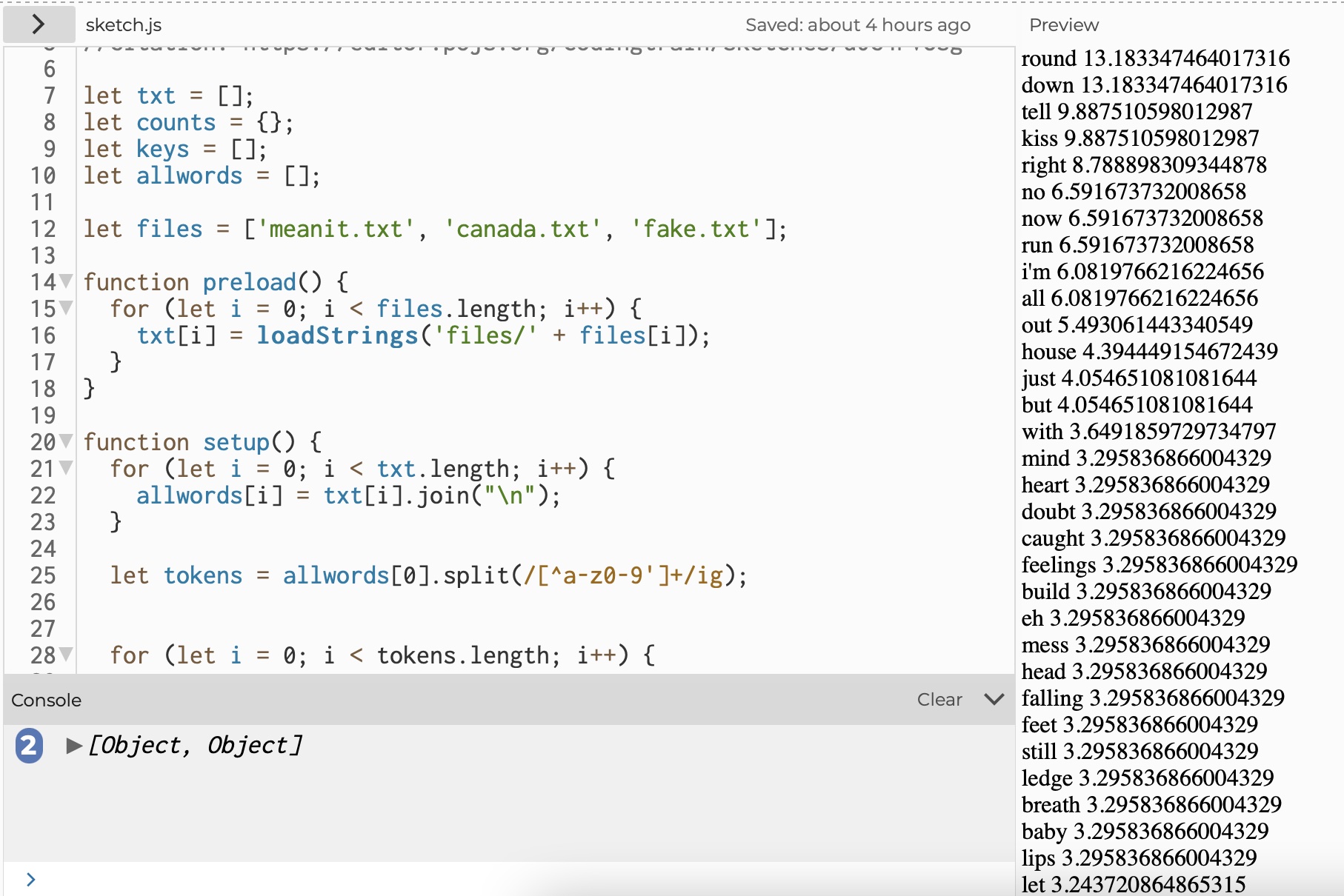
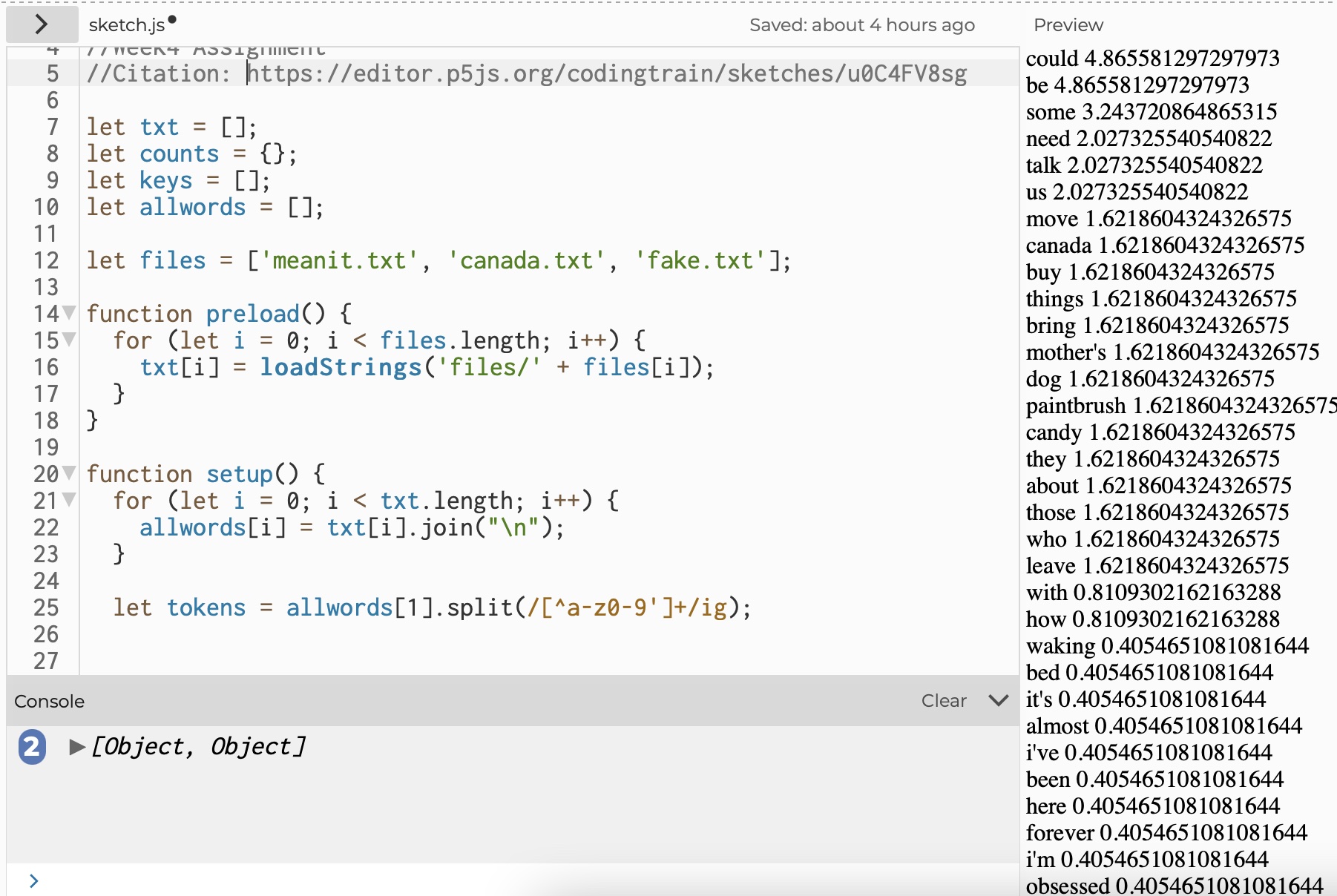
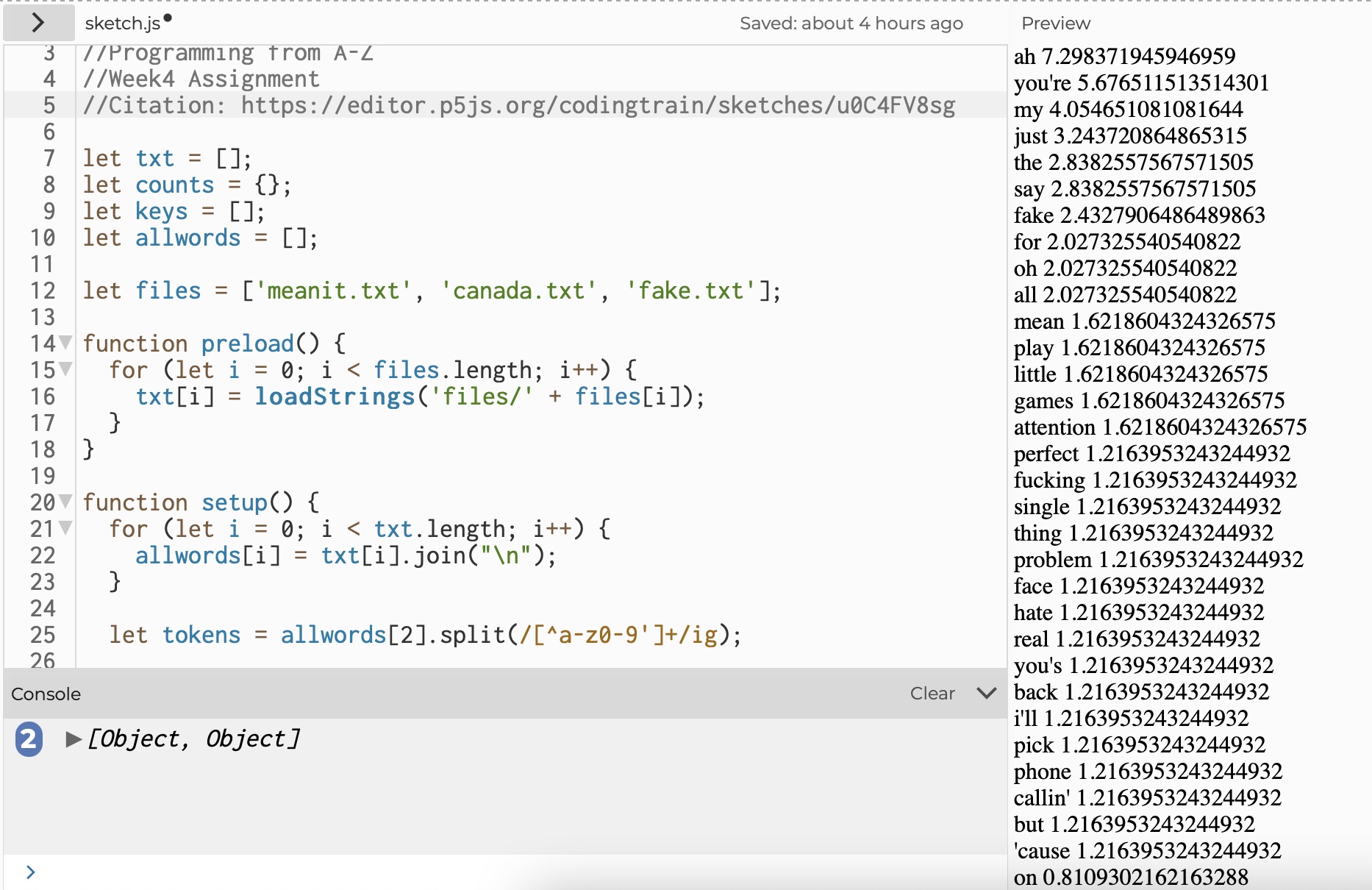
TF-IDF video tutorial on implementing Term Frequency - inverse Document Frequency, a algorithm that scores each word's relevance for a given document based on its frequency in one document relative to all other in a corpus.
For the exercise, I used the lyrics of three songs; "Mean It", "Canada", and "Fake" by Lauv as text files.
View the project
Here
Mean It
Canada
Fake
| WEEK 4 Project:
English Song Data Visualization In Korean
For week 4 assignment, I designed data visualization that uses a language other than English.
View the project
Here
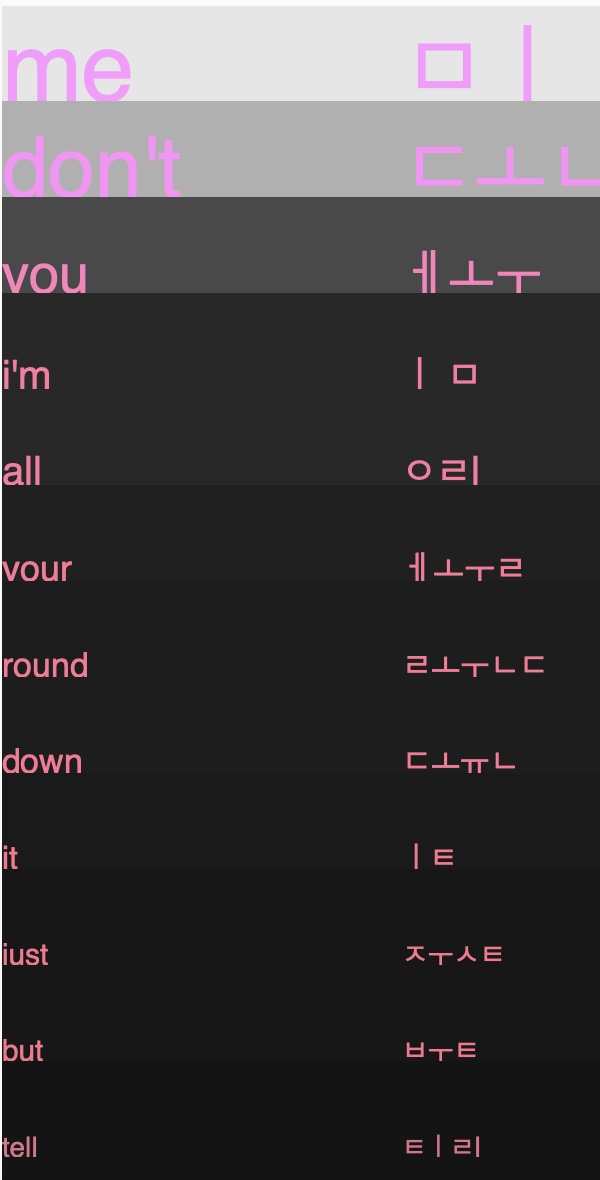
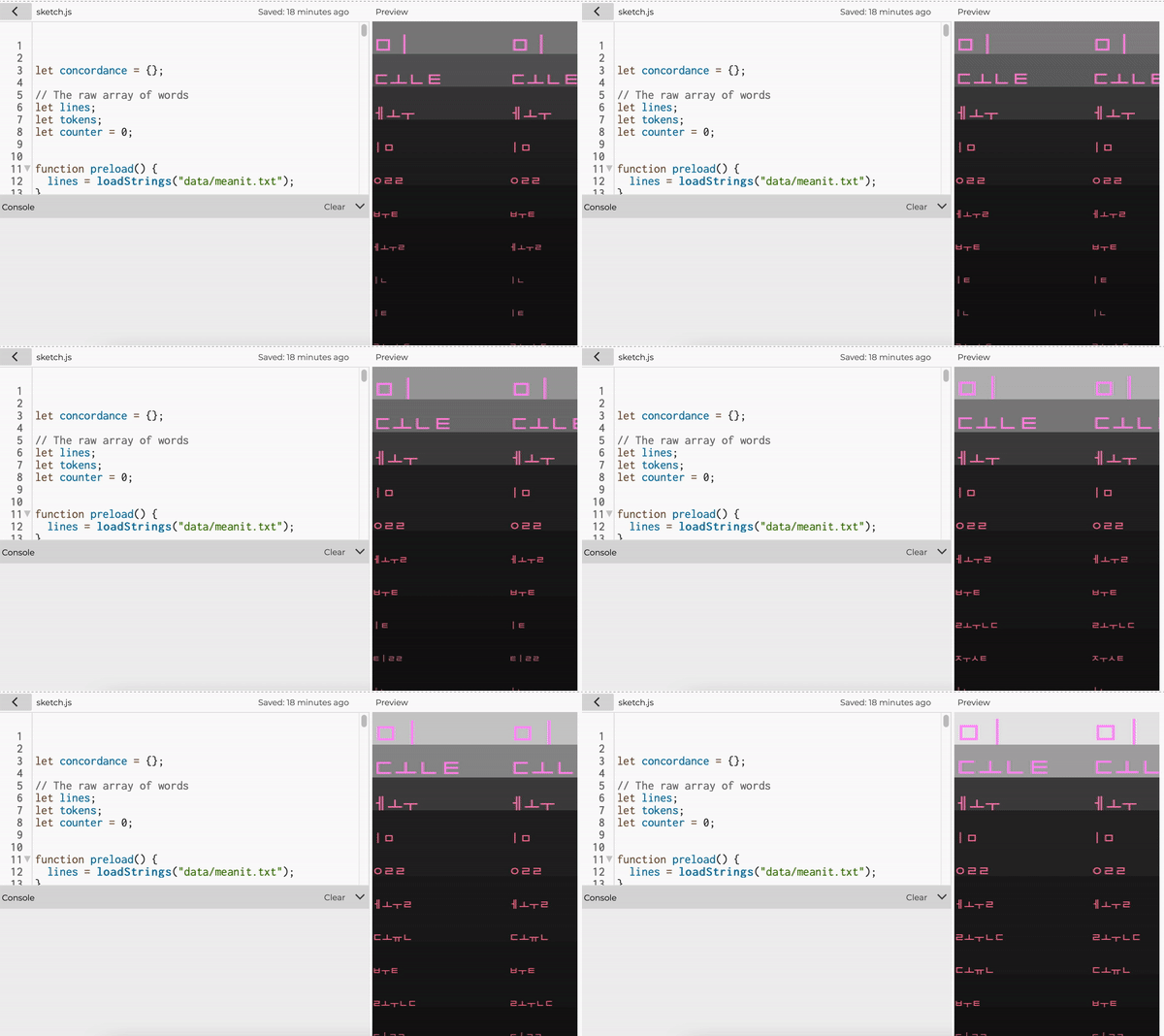
For this project, elaborating on the word counting exercise, I made a short animation that visualizes the frequency of the words that appear in the song "MEAN IT" by Lauv in Korean.
It visualizes words in MEAN IT that appear at least three times in the lyrics.
(In nutshell, this is how the project is made)
- It counts the number of words used in the text file "Mean It", and the frequency of each word
- Organize words in the order of highest count to lowest count
- Visualize the words that are used more than three times
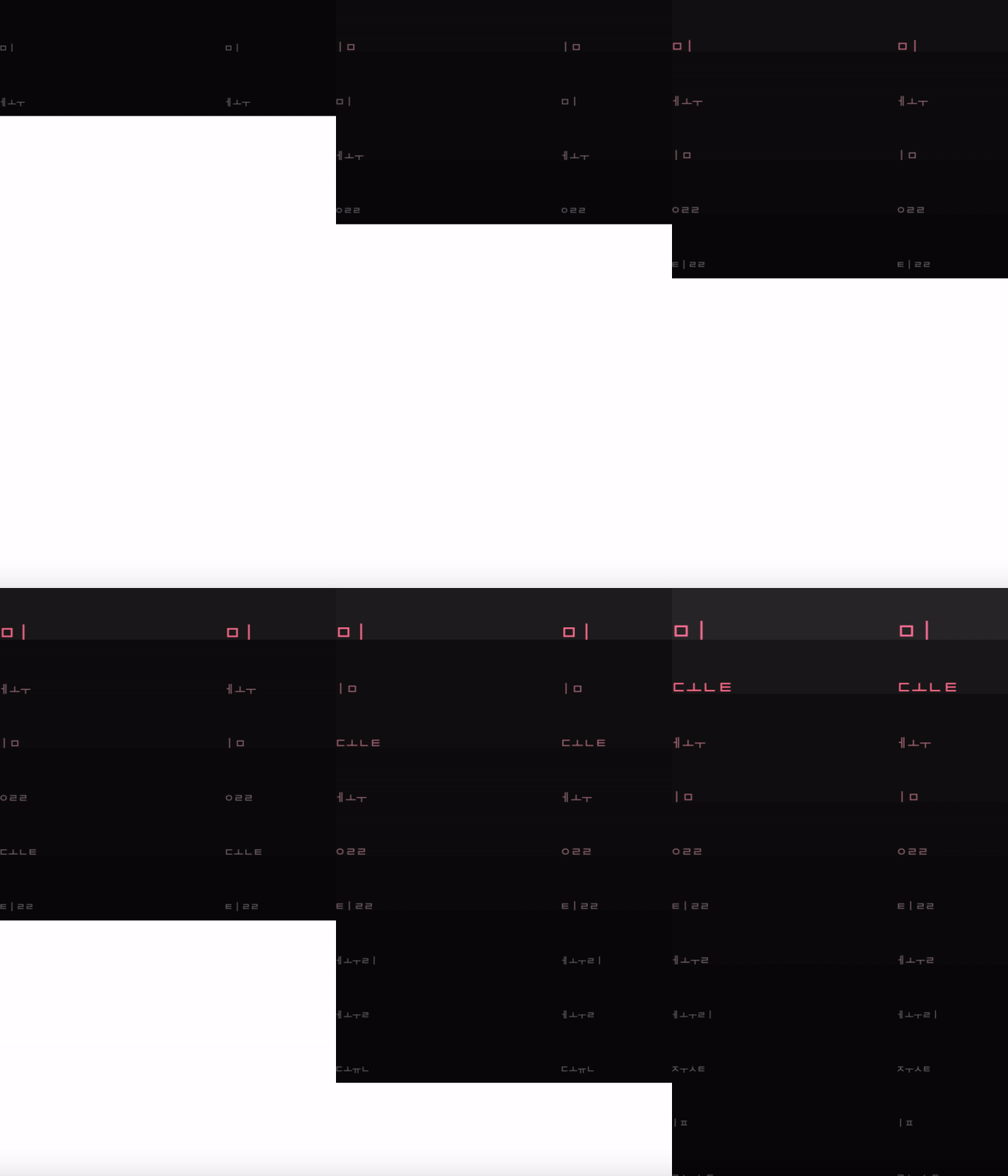
In this data visualization, the size of the text matches with the number of word counts. The bigger the font size, the more frequent word appears in the text. The text color and the background rectangle color also changes according to the word count. It is organized in the order of highest word count to the lowest word count with its minimum word count of 3. Therefore, the word "me", which has the highest wordcount (43) appears on the top. However, the word "me" is written in Hanguel Alphabet.
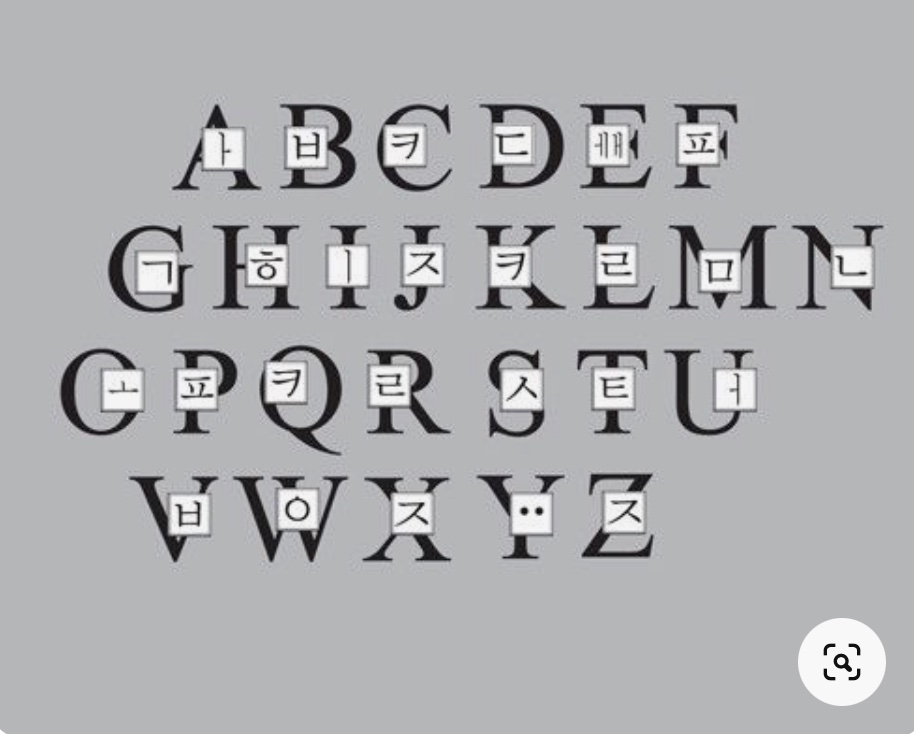
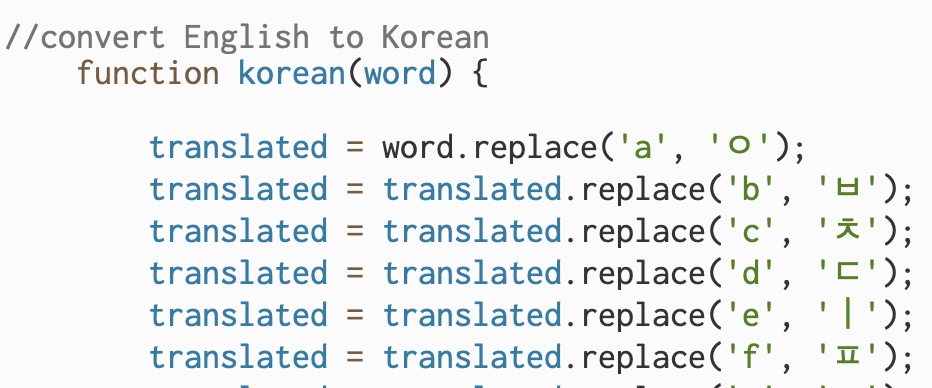
As I was working on this project, I wanted to add a fun twist by visualizing English words in Korean. Focusing on the sound of each alphabet, I added a function where English alpahbets are replaced with Korean alphabets that gives the similar sound. Since not every English letter can be directly replaced by Korean alphabet, and given that Korean is written in block system, where it is not always written linearly but in blocks, the result wasn't perfect. However, it generated an interesting visualization, and although grammatically imperfect, when assembled together with some imagination, the korean words could be read outloud as how it would be read out in English. Although by accident, this made an interesting guessing game, where I had to look at Korean alphabets and guess English words.
What's NEXT?
As shown above, each word appears twice in a row. This is because initially, I wanted to have English word and Korean word side-by-side. However, I couldn't figure out how to apply replace() function to one type of data and not to another. So I had to end the project here. I am still satisfied with the result because I find the data visualization of english text in korean alphabet is really interesting. In future, I want to develop my skills and show the English list of words and Korean list of words side-by-side.
Success!!
English & Korean Side by Side
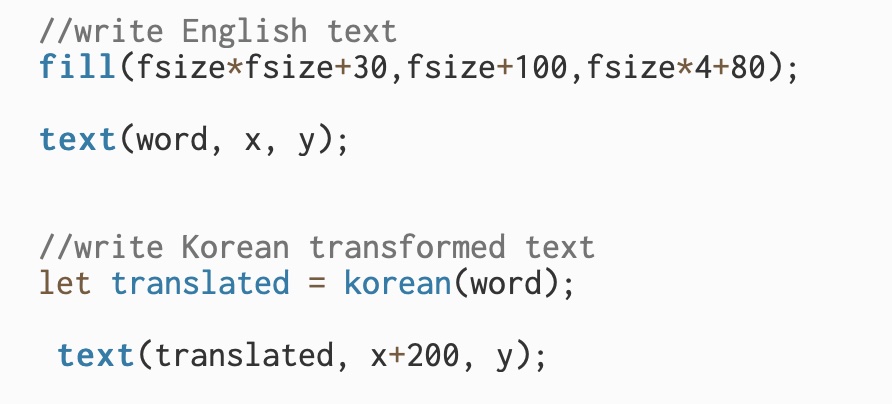
Instead of replacing token(i), which always changes the letters in words to Korean, by making a separate variable "translated" that stores translated Korean alphabets, I was able to achieve my original idea where I wanted Korean and English words to be shown side-by-side.
Here